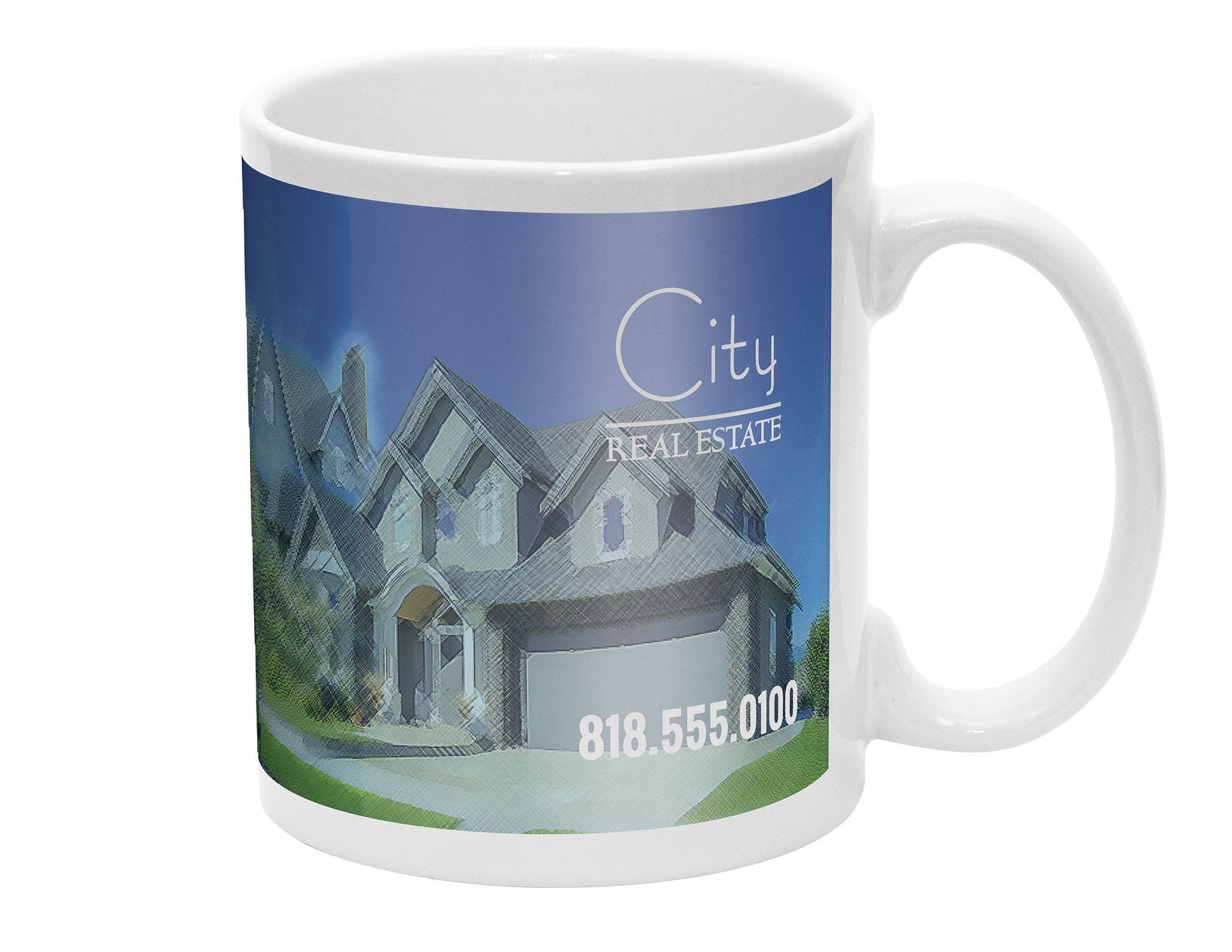
Photo Mug Same Day

  • Size *

  • Material *

  • Quantity *

  • Turnaround Time *

  • Upload *

    Max file size: 200 MBPermitted file types: jpg jpeg jpe gif png pdf eps

  • Weight Calculation *

Custom Photo Mug Printing:

Custom Photo Mugs Same Day:


  • 11 oz. Ceramic mug
  • Print area 8.5″ x 3″
  • We cannot print images that have more than 50% coverage with dark colors.

Photo Mug Same Day Printing in Los Angeles: Fast and Personalized

In a fast-paced city like Los Angeles, having access to quick and reliable services is crucial. When it comes to personalized gifts or promotional items, custom photo mugs are a popular choice. Whether you need a last-minute gift or a quick promotional item, same day photo mug printing services in Los Angeles can meet your needs efficiently and professionally.

Why Choose Same Day Photo Mug Printing?

Last-Minute Gifts Life can be unpredictable, and sometimes you need a thoughtful gift at the last minute. Same day photo mug printing services in Los Angeles provide a perfect solution. With quick turnaround times, you can have a custom photo mug ready in just a few hours, making it an ideal option for spontaneous celebrations or forgotten special occasions.

Promotional Items Businesses often need promotional items on short notice for events, trade shows, or corporate giveaways. Same day photo mug printing allows companies to quickly produce branded mugs featuring their logo, slogan, or promotional message. This ensures you are always prepared to impress clients and customers, even with tight deadlines.

Quality and Convenience Despite the quick turnaround, same day photo mug printing in Los Angeles does not compromise on quality. Professional printing services use advanced techniques to ensure that your photos are vibrant and long-lasting. This combination of speed and quality makes it a convenient option for both personal and business needs.

How Same Day Photo Mug Printing Works

Step 1: Choose Your Design Start by selecting the photos and any additional text you want on your mug. High-resolution images work best to ensure clear and sharp prints. If you’re adding text, make sure it’s legible and complements the overall design.

Step 2: Place Your Order Many Los Angeles printing services offer online ordering systems. Upload your design, choose your mug style, and place your order. Some services also offer in-person assistance if you prefer to visit the shop and discuss your design ideas.

Step 3: Quick Production Once your order is placed, the printing process begins. Using high-quality printing technology, your custom photo mug is produced quickly without sacrificing detail and durability. The process typically takes a few hours, allowing you to pick up your mug the same day.

Step 4: Pick Up or Delivery After the mug is printed, you can either pick it up from the printing service location or have it delivered to your doorstep, depending on the service provider. This flexibility adds to the convenience, especially if you’re on a tight schedule.

Benefits of Same Day Photo Mug Printing

Speed and Efficiency Same day photo mug printing services in Los Angeles are designed to meet urgent needs. The entire process, from design to production, is streamlined to ensure you get your custom mug as quickly as possible.

Personalization Custom photo mugs are a unique way to personalize gifts and promotional items. By adding photos, names, dates, or messages, you create a meaningful and memorable item that stands out.

Professional Quality Despite the fast service, professional printing ensures that the quality of the mugs remains high. Durable materials and vibrant prints make these mugs both beautiful and long-lasting.

Conclusion

For those in need of a last-minute gift or a quick promotional item in Los Angeles, same day photo mug printing offers a perfect solution. Combining speed, quality, and personalization, this service ensures that you can always have a thoughtful and professional item ready when you need it.

Whether it’s for a special occasion or a business event, custom photo mugs printed on the same day are a convenient and impressive choice.

Contact Guru Printers today to get started with your same day photo mug printing in Los Angeles. Our high-quality, fast, and reliable service will ensure your custom mugs are ready exactly when you need them.

Shipping Timeframes

California

shipping times based on Pacific Standard Time product shipping information
Guru Printers produces all orders respective to when they are processed and batched on the production queue. Although, we try our best to produce all orders accordingly based on your geographical proximity to a production facility, we cannot make any guarantees that your item will be produced out of a specific location.

File Setup

In order to ensure your files are print-ready, we recommend that you upload them in PDF format. When you generate a print-ready PDF, your computer will use the settings in Adobe Acrobat Distiller or any other PDF generating programs you may use. Please make sure that these are set properly before generating your PDF file.

If you are uploading PDF files created in Photoshop, please be sure all layers are flattened.

We also accept .JPG (JPEG), and .TIF (TIFF) file types, however PDF is the preferred format.

Check your file to make sure it meets our file creation guidelines. This will help speed up the production of your project and give your printed piece the best results.

  1. Use the CMYK colorspace (Cyan, Magenta, Yellow, blacK). These are industry standard printing colors. CMYK colors are different than RGB (Red, Green, Blue), which are used to display colors on your screen.
  2. Use a minimum resolution of 300 dpi for image files.
  3. Specify trim area with crop marks. (Don’t place crop marks inside the work area.)
  4. Artwork should have 1/8″ (0.125″) bleed extending past the trim line. This is to prevent minor cutting variations from leaving unintended results at the trim edge.
  5. Safe Area is the 1/8″ (0.125″) area inside the trim line. Do not put critical information or images within the Safe Area. This is to prevent minor cutting variations from leaving unintended results at the trim edge.
  6. If you want printed borders, they must be placed a minimum of 1/8″ (0.125″) inside the trim line and include bleed. This is to prevent minor cutting variations from leaving unintended results at the trim edge.

View our File Setup Templates